GlacierSkySapphire
PageExcerpts allows users to reuse content from any wiki page on another wiki page.
Define page excerpts
A page excerpt is created on a page with the Content droplet Include page excerpt.

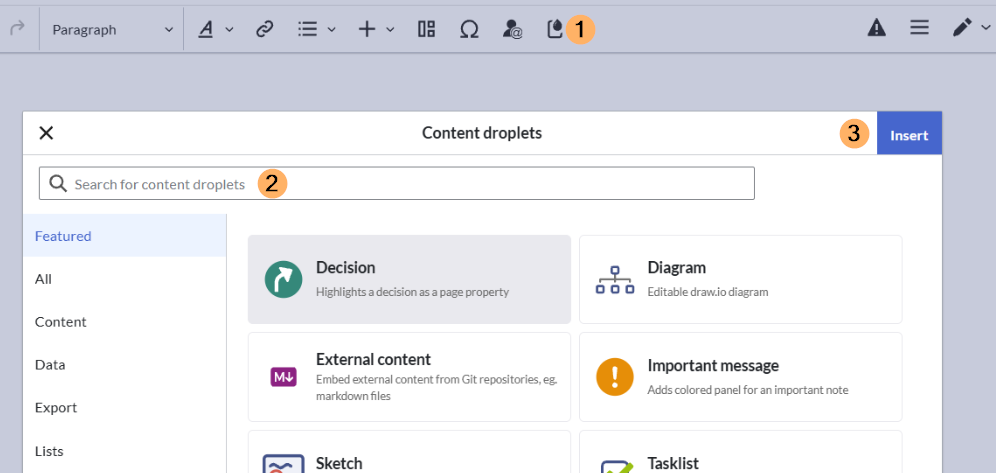
- Open the Content droplets menu.
- Search for "excerpt". Select the "Insert page excerpt" Content droplet.
- Insert the Content droplet on the page.
This inserts a container for a page excerpt. Next, you can edit the excerpt:
- Select the inserted excerpt and provide a mandatory name.
- Add your content into the excerpt.
Add additional excerpts with unique names on this page as needed.
Hidden excerpts:If you mark an excerpt as hidden, it will not appear in view mode of the excerpt page or the page that includes the excerpt.
Adding existing page excerpts to a page
- In the Content droplets menu, search for "excerpt".
- Select Include page excerpt.
- Enter the page name where the excerpt is defined.
- Provide the excerpt name.
- Click Done. If you activate Show panel, the excerpt will be shown with its panel name and border.