The extension TagCloud visualizes terms from your wiki based on importance. It can be included on any wiki page. The source for the tag cloud terms can be categories or search statistics.

Insert a tag cloud

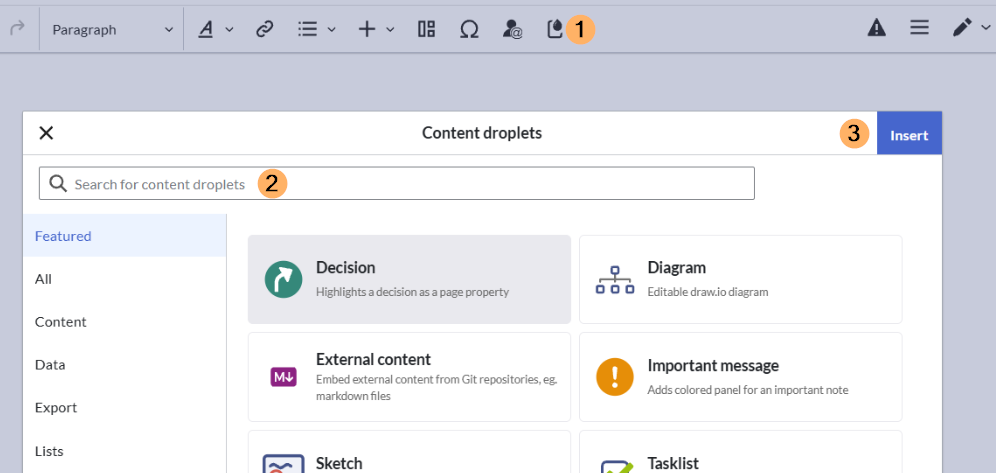
- Open the Content droplets menu.
- Search for "cloud".
- Insert the Content droplet on the page.
Configuration
The Content droplet inspector lets you configure the type of tag cloud and the visual display.
Common configuration
| Parameter | Display name | Description |
|---|---|---|
| renderer | Display mode | Mode of rendering the cloud
|
| store | Store | Source of the data - category or searchstats |
| width | Width of tag cloud | Part of the page width taken by the cloud in percent |
| showcount | Show frequency | Whether to show the numeric frequency of the term in the cloud |
Advanced configuration
| Parameter | Display name | Description |
|---|---|---|
| minsize | Min font size | Smallest possible font displayed in the cloud |
| maxsize | Max font size | Biggest possible font displayed in the cloud |
| count | Count | Maximum amount of tags to display (Default value:40) |
| exclude | Exclude pages | List of categories to exclude from the cloud, separated by comma - "category1, category2, category3" |
Examples
Text
Tag parameters:
<bs:tagcloud count="10" minsize="12" maxsize="34" exclude="Imported vocabulary, Project" />
Output:
Shows a tag cloud with the 10 (count) categories that have the most page associations. The smallest possible font-size is 12 pixels (minsize) and the largest possible font-size is 34 pixels (maxsize). The categories Imported vocabulary and Project have been excluded from the output.Since the data source category is the default for a tag cloud, it is not necessary to specify it in the tag.

3D canvas
Tag parameters:
<bs:tagcloud renderer="canvas3d" store="category" count="15" minsize="12" maxsize="40" showcount="false" />
Output:
The renderer canvas3d produces an interactive tag cloud. The cloud rotates when the cursor hovers over the tag cloud. It shows the 15 (count) most tagged categories. It is important to set the count limit, since the default count is set to 40, wich produces a 3D cloud where the results are hard to distinguish visually. The data source is set to category (store). This is optional, since category is the default store value. The font sizes range from 12 pixels (minsize) to 40 pixels (maxsize). How many pages and files are associated with each category is not shown (showcount="false").

List
Tag parameters:
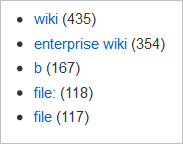
<bs:tagcloud renderer="list" store="searchstats" count="5" />
Output:
The renderer type list produces a simple unordered list.

The tag cloud of type list ignores the following parameters: minsize, maxsize