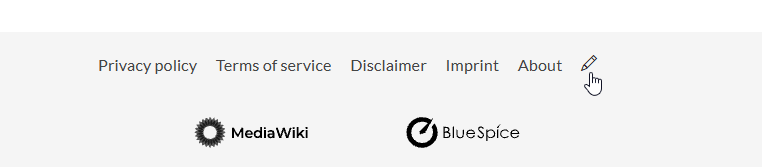
The footer contains the links to important info pages in the wiki. Since these pages often provide legal information to users, they are accessible from any wiki page.
Create the footer pages

In a newly installed wiki, the content for the links in the footer must first be created. By default, all users with editing rights can click on a link in the footer to create the corresponding page. The associated page is automatically created in the Site namespace.
If the Privacy policy or Terms of service pages are missing, it will be displayed in a page banner. This banner is only visible to admin users.

Editing the footer links with the menu editor
When an administrator hovers over one of the footer links, the Edit footer icon appears. They can be edited with the Galaxy menu editor.
Standard links
The following table shows the default pages that are used to create the footer links and their associated target content. Please note that for the Privacy poliy and the Terms of service, the actual page content is not directly linked.
| Footer link | Standard link | Content location |
|---|---|---|
| Disclaimer | Site:General_disclaimer | Site:General_disclaimer |
| Imprint | Site:Imprint | Site:Imprint |
| About | Site:About | Site:About |
| Privacy policy | Special:PrivacyPages/PrivacyPolicy | Site:Privacy_policy |
| Terms of service | Special:PrivacyPages/TermsOfServices | Site:Terms_of_service |