No edit summary |
No edit summary |
||
| Line 4: | Line 4: | ||
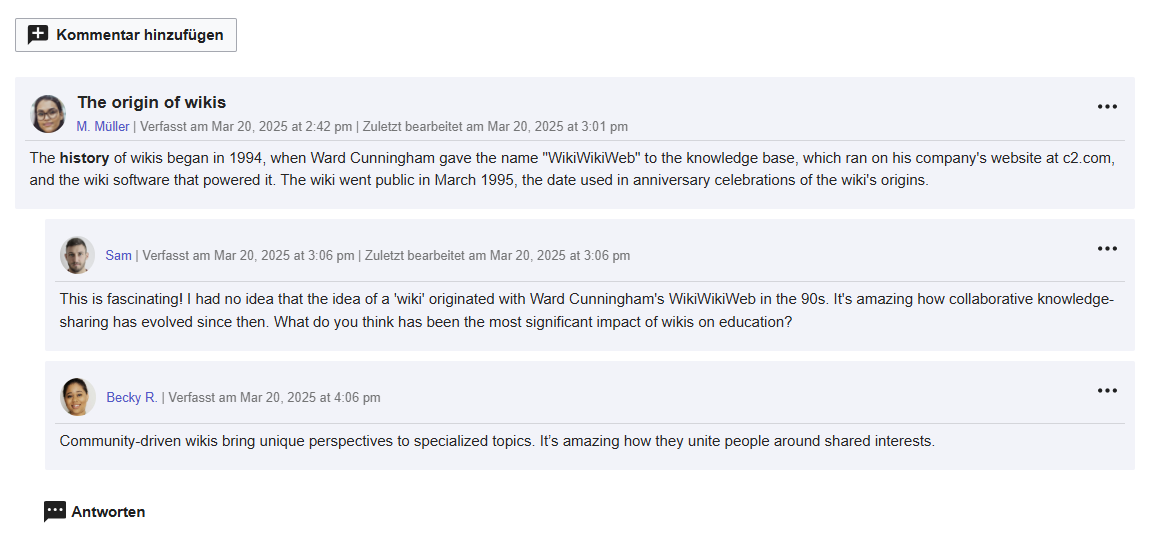
[[File:commentstreams-page-comment.png|alt=Page comment with associated replies|center|thumb|650x650px|Page comments]] | [[File:commentstreams-page-comment.png|alt=Page comment with associated replies|center|thumb|650x650px|Page comments]] | ||
== Comment availability == | == Comment availability == | ||
Comments can be enabled for individual namespaces in the [[Extension/BlueSpiceNamespaceManager|Namespace Manager]]. | Comments can be enabled for individual namespaces in the [[Extension/BlueSpiceNamespaceManager|Namespace Manager]] by users who have admin rights for the specific subwiki. | ||
== Comment actions == | == Comment actions == | ||
The comment menu provides the following actions: | The comment menu provides the following actions: | ||
Revision as of 10:19, 5 November 2026
Page comments provide a way to discuss wiki page content. They appear at the bottom of the page and can be replied to by other users. Page comments are distinct from inline comments, which are attached to specific text on a page and are visible in comment mode and edit mode, but not in view mode.
Adding and replying to comments
To add a comment, select Add Comment at the bottom of a wiki page. To reply to an existing comment, select Reply.

Comment availability
Comments can be enabled for individual namespaces in the Namespace Manager by users who have admin rights for the specific subwiki.
Comment actions
The comment menu provides the following actions:
| Action | Description |
|---|---|
| Edit | The original author can edit a comment. Edits are recorded in the comment's version history. |
| Delete | The original author can delete a comment. A comment can only be deleted after all associated replies have been deleted. |
| Watch | Add a comment to the watchlist. New replies to the comment are displayed in the watchlist. |
| Version history | View the version history of a comment. Versions cannot be hidden, restored, or undone. |
| Permanent link | Copy a link to the current revision of a comment to the clipboard and share it. |
Notifications
Users are automatically notified when another user replies to a comment. Individual notification preferences are documented here.
PDF export
Page comments are not included in PDF exportss