No edit summary |
No edit summary |
||
| Line 1: | Line 1: | ||
== About spreadsheets == | |||
You can create spreadsheets directly in the wiki, enter and calculate data in a familiar table layout, and display selected data on other pages. | You can create spreadsheets directly in the wiki, enter and calculate data in a familiar table layout, and display selected data on other pages. | ||
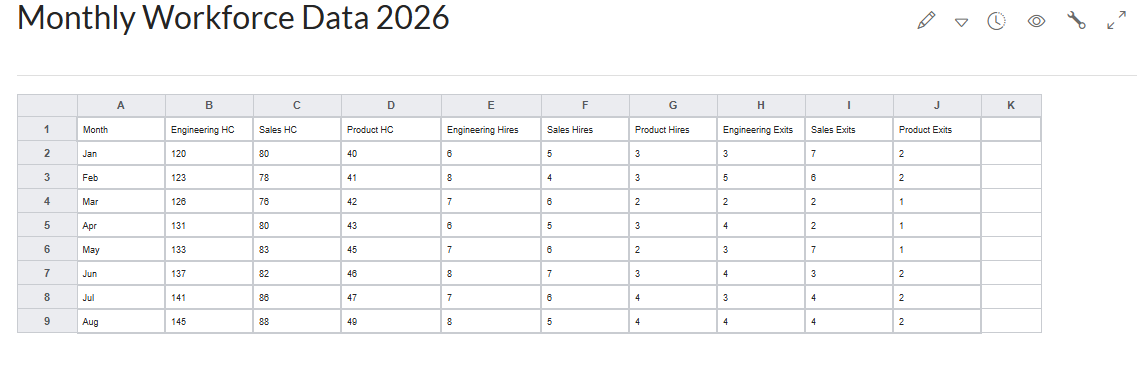
[[File:Extension Spreadsheets view mode.png|alt=Spreadsheet with 9 rows and 10 columns showing ficticious Monthly Workforce Data 2026|center|thumb|850x850px|Example of a speadsheet page]] | |||
== Create a spreadsheet == | == Create a spreadsheet == | ||
| Line 6: | Line 9: | ||
# Click '''Create'''. The spreadsheet opens in edit mode. | # Click '''Create'''. The spreadsheet opens in edit mode. | ||
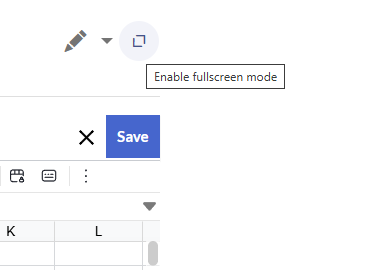
# Add your data. If you need more room, for example for many columns, switch to fullscreen view.[[File:fullscreen edit spreadsheet.png|alt=Fullscreen page toggle|center|thumb|305x305px|Enable fullscreen mode]] | # Add your data. If you need more room, for example for many columns, switch to fullscreen view.[[File:fullscreen edit spreadsheet.png|alt=Fullscreen page toggle|center|thumb|305x305px|Enable fullscreen mode]] | ||
# Save your spreadsheet. | # Save your spreadsheet.. All spreadsheets are listed on the page '''Special:Spreadsheets'''. | ||
== Re-use data ranges == | == Re-use data ranges == | ||
| Line 20: | Line 22: | ||
## ''Separator:'' The character that separates the values in a list (for example: a comma). | ## ''Separator:'' The character that separates the values in a list (for example: a comma). | ||
The droplet inserts a tag like the following on the page. You can also enter it manually in source editing mode: | The droplet inserts a tag like the following on the page. You can also enter it manually in source editing mode:<syntaxhighlight lang="text"> | ||
<sheetdata page="Spreadsheet:Monthly Workforce Data 2026" separator="," format="table" range="A1:D5" /> | <sheetdata page="Spreadsheet:Monthly Workforce Data 2026" separator="," format="table" range="A1:D5" /> | ||
</syntaxhighlight>'''Output:'''<sheetdata page="Spreadsheet:Monthly Workforce Data 2026" separator="," format="table" range="A1:D5" /> | |||
== List of all spreadsheets == | == List of all spreadsheets == | ||
Administrators can show or hide a list of all spreadsheets under the | Administrators can show or hide a list of all spreadsheets under the entrypoint links in the main navigation. You can also link directly to the page '''Special:Spreadsheets'''''.'' | ||
Revision as of 14:05, 29 October 2026
Sapphire
About spreadsheets
You can create spreadsheets directly in the wiki, enter and calculate data in a familiar table layout, and display selected data on other pages.

Create a spreadsheet
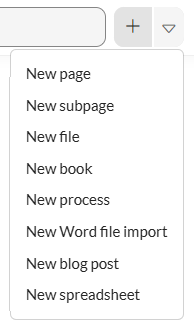
- Select New spreadsheet from the New menu.
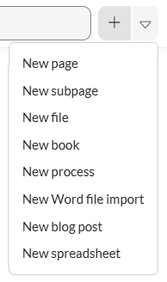
Create spreadsheet - Enter a name for your spreadsheet.
- Click Create. The spreadsheet opens in edit mode.
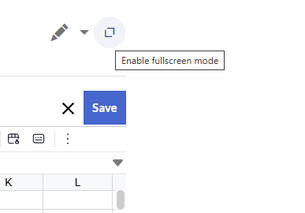
- Add your data. If you need more room, for example for many columns, switch to fullscreen view.
Enable fullscreen mode - Save your spreadsheet.. All spreadsheets are listed on the page Special:Spreadsheets.


Re-use data ranges
You can include a range of continuous data from a wiki spreadsheet on another page.
- Open the Content droplets menu in visual editing mode.
- Search for Spreadsheet data.
- Insert the content droplet on the page.
- Fill in the information for the data range:
- Spreadsheet page: Name of the existing spreadsheet page.
- Range to select: A continuous range of cells, separated by a colon (for example:
A1:D5) - Format: Table creates a table of class "wikitable". Plainlist creates a list of values.
- Separator: The character that separates the values in a list (for example: a comma).
The droplet inserts a tag like the following on the page. You can also enter it manually in source editing mode:
<sheetdata page="Spreadsheet:Monthly Workforce Data 2026" separator="," format="table" range="A1:D5" />
Output:
| Month | Engineering HC | Sales HC | Product HC |
| Jan | 120 | 80 | 40 |
| Feb | 123 | 78 | 41 |
| Mar | 126 | 76 | 42 |
| Apr | 131 | 80 | 43 |
List of all spreadsheets
Administrators can show or hide a list of all spreadsheets under the entrypoint links in the main navigation. You can also link directly to the page Special:Spreadsheets.