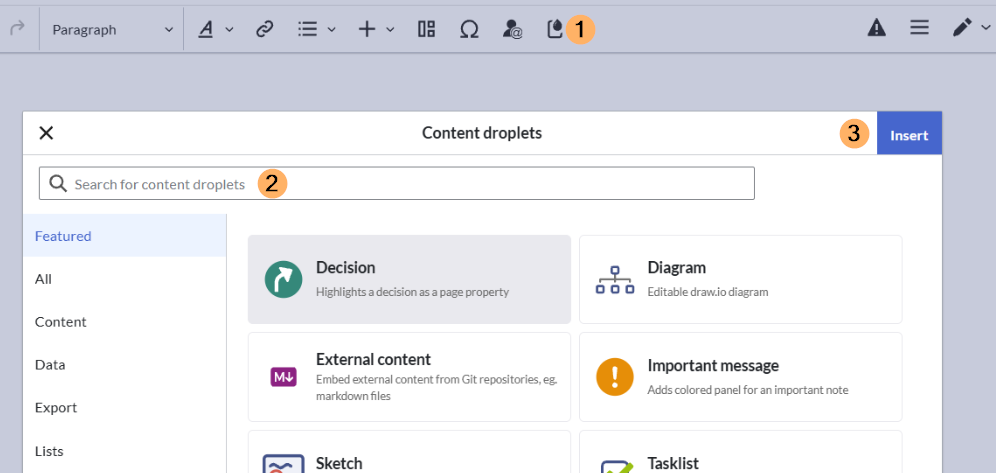
- Select the Content droplets action in the editor toolbar.
- Filter for the Content droplet '.
- Insert the content droplet.

First steps for adding content droplets
| Parameter | Description | Type | Status | |
|---|---|---|---|---|
| Name of the Content Droplet in VE | name | no description | Unknown | suggested |
| has inspector window | inspector | no description
| Boolean | suggested |
| Screenshot | file | no description | File | optional |